Storage plays an important role in laptop performance. Whether you are upgrading an old laptop or buying a new system, choosing between SSD and HDD can significantly affect speed, gaming performance, boot times, battery life, and overall user experience.
SSDs (Solid State Drives) are now widely used in modern laptops because of their high speed and reliability, while HDDs (Hard Disk Drives) still remain useful for large storage capacity at lower cost.
In this guide, we compare SSD vs HDD performance, speed, reliability, gaming performance, storage capacity, and explain which option is better for different users.
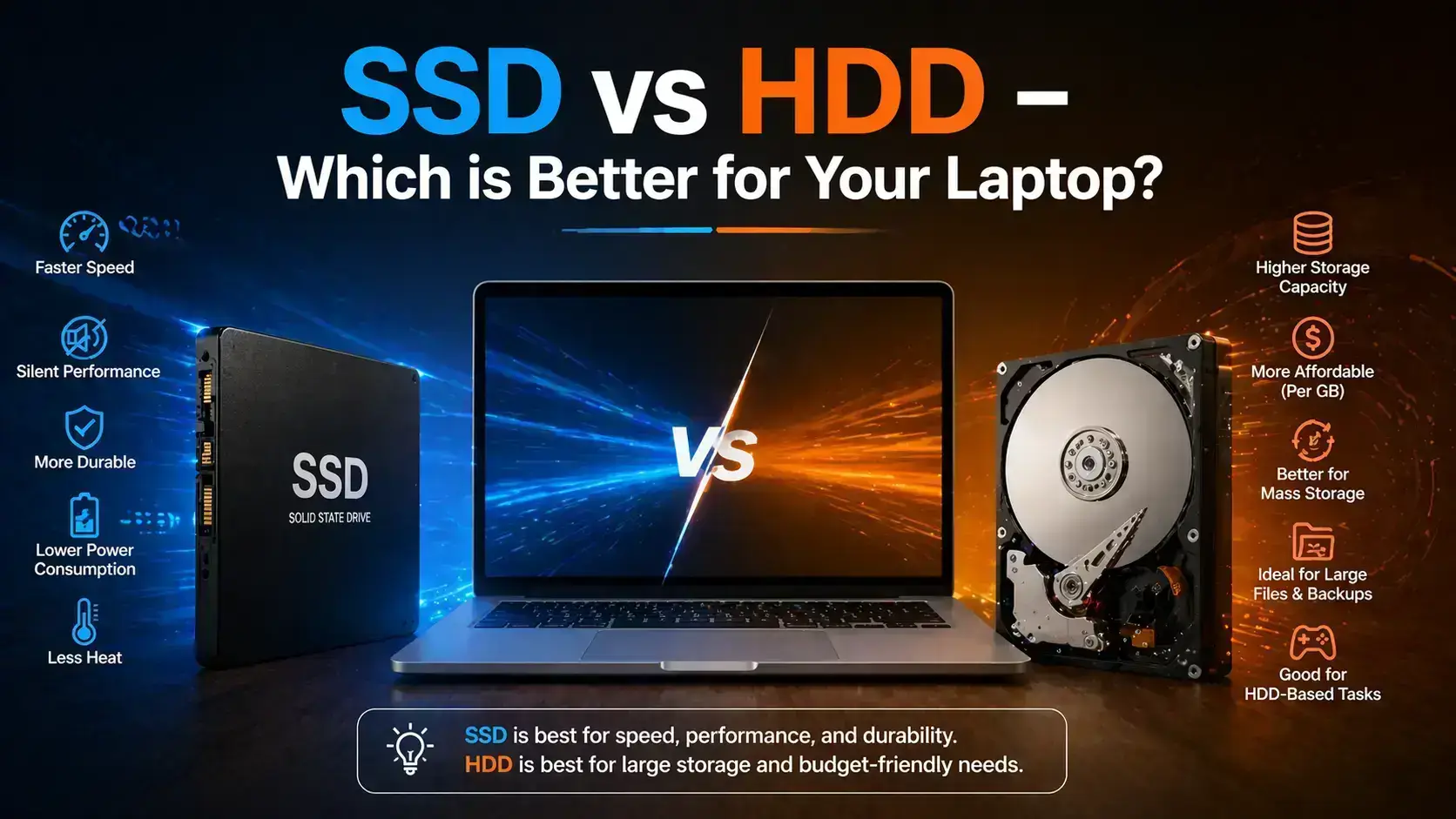
Table of Contents
- What is SSD?
- What is HDD?
- Performance Comparison
- Gaming Performance
- Battery Life and Heat
- Reliability and Lifespan
- Storage Capacity
- SSD vs HDD for Different Users
- Should You Upgrade to SSD?
- FAQs
What is an SSD?
SSD stands for Solid State Drive. Unlike traditional hard drives, SSDs use flash memory instead of spinning mechanical disks.
Because SSDs have no moving parts, they offer:
- Faster boot speed
- Instant app loading
- Lower power consumption
- Silent operation
- Better shock resistance
Modern NVMe SSDs can reach speeds far beyond traditional SATA hard drives. :contentReference[oaicite:0]{index=0}
What is an HDD?
HDD stands for Hard Disk Drive. HDDs store data on spinning magnetic disks and use mechanical moving parts to read and write information.
HDD advantages include:
- Lower cost per GB
- Large storage capacity
- Good for backups and archives
However, HDDs are slower due to their mechanical design. :contentReference[oaicite:1]{index=1}
SSD vs HDD Performance Comparison
Speed is the biggest difference between SSD and HDD storage.
| Feature | SSD | HDD |
|---|---|---|
| Boot Time | 10–15 seconds | 30–40 seconds |
| File Transfer Speed | 500–7000+ MB/s | 30–150 MB/s |
| Noise | Silent | Mechanical noise |
| Shock Resistance | Better | Lower |
| Power Usage | Lower | Higher |
SSDs provide dramatically faster boot and application loading times compared to HDDs. :contentReference[oaicite:2]{index=2}
SSD vs HDD for Gaming
SSDs significantly improve gaming experience by reducing loading times and improving system responsiveness.
- Faster game loading
- Reduced texture loading delays
- Quicker Windows startup
- Better open-world game performance
HDDs can still run games, but modern AAA games benefit greatly from SSD storage.
Many gamers now use SSDs for operating systems and games while keeping HDDs for large media storage. :contentReference[oaicite:3]{index=3}
Battery Life and Heat
SSDs consume less power because they have no spinning disks or moving parts.
- Better battery life
- Less heat generation
- Quieter operation
HDDs consume more power and generate additional heat due to mechanical movement. :contentReference[oaicite:4]{index=4}
Reliability and Lifespan
SSDs are generally more resistant to physical shock because they do not contain moving parts.
HDDs may become damaged if dropped while operating because the internal disks spin at high speed.
However, SSDs also have limited write cycles over very long-term use. Both storage types can fail over time, which is why regular backup remains important. :contentReference[oaicite:5]{index=5}
Storage Capacity Comparison
HDDs still provide larger storage capacity at lower prices compared to SSDs.
| Storage Type | Best Use |
|---|---|
| SSD | Operating system, gaming, fast performance |
| HDD | Large media files, backups, archives |
Many users now combine SSD + HDD setups for both speed and storage capacity. :contentReference[oaicite:6]{index=6}
Which Storage is Better for Different Users?
- Students: SSD recommended
- Gamers: SSD strongly recommended
- Video Editors: SSD + HDD combination
- Office Users: SSD preferred
- Backup Storage: HDD useful
For most modern laptops, upgrading from HDD to SSD provides one of the biggest performance improvements possible. :contentReference[oaicite:7]{index=7}
Should You Upgrade Your Laptop to SSD?
If your laptop still uses an HDD and feels slow, upgrading to an SSD can dramatically improve speed and responsiveness.
- Faster startup
- Improved multitasking
- Better gaming performance
- Reduced lag
- Faster software installation
SSD upgrades are now considered one of the best upgrades for older laptops.
SSD Upgrade Services in Gurgaon
IT WORLD THE COMPUTER ITSOLUTION provides SSD upgrades, HDD replacement, Windows installation, and laptop performance optimization services in Gurgaon.
Upgrade Your LaptopFrequently Asked Questions (FAQs)
Is SSD faster than HDD?
Yes, SSDs are significantly faster for booting, gaming, and file transfers. :contentReference[oaicite:8]{index=8}
Does SSD improve gaming?
SSDs reduce loading times and improve overall gaming responsiveness.
Is HDD still useful in 2026?
Yes, HDDs remain useful for backups and large storage needs.
Can I use SSD and HDD together?
Yes, many laptops and desktops support both for speed and storage balance.
Should I upgrade an old laptop to SSD?
Yes, SSD upgrades often provide major speed improvements for older systems.